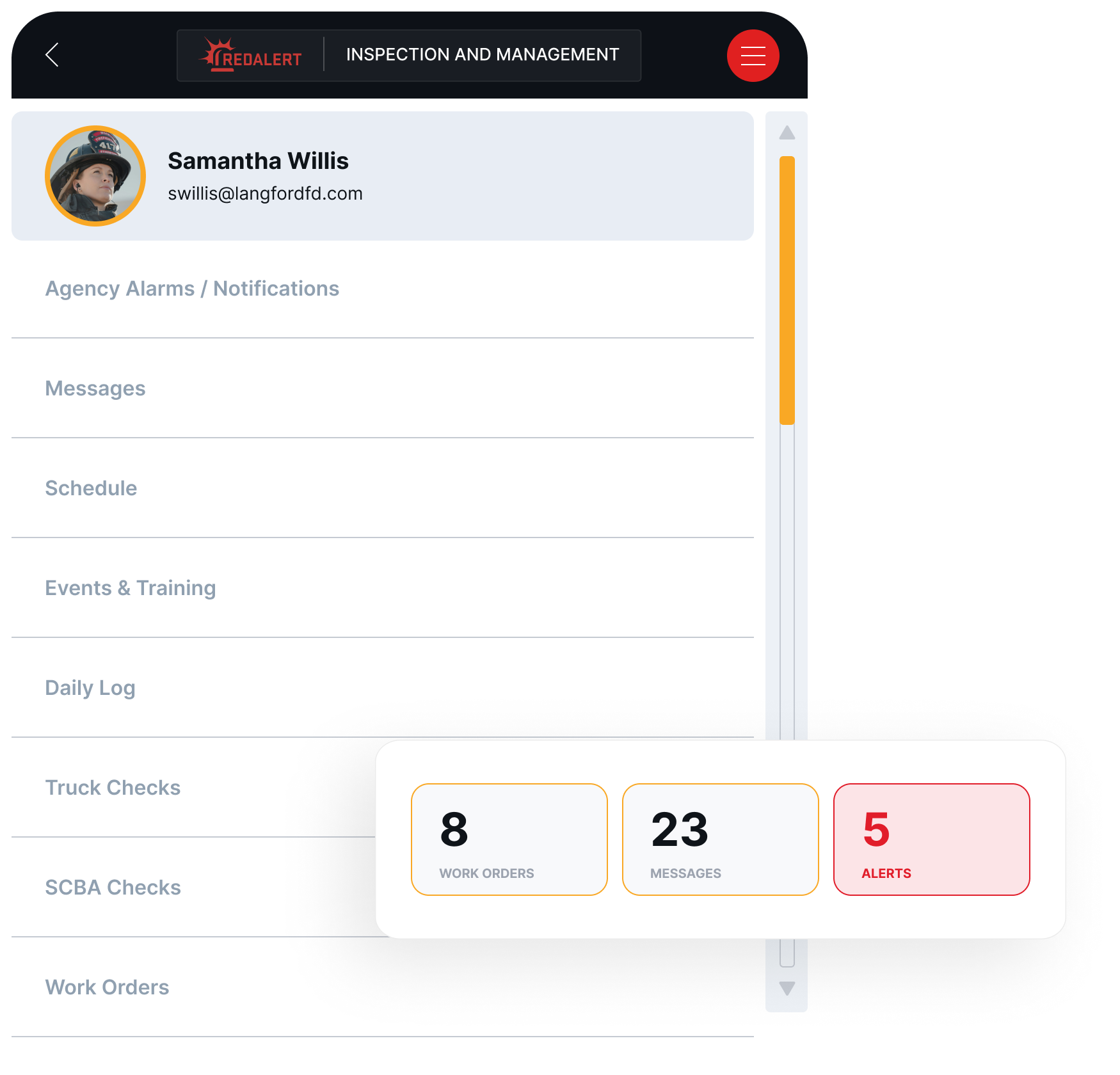
RedAlert Mobile gives every firefighter, career or volunteer, a direct line into department operations. Log truck checks, edit NERIS reports, manage schedules, check gear, and stay connected to every call, all from one app that syncs instantly with RedAlert Desktop.
Access live alerts, real-time location data, and reporting tools, wherever the call takes you,
1. Daily Operations & Checklists
Truck checks, SCBA inspections, gear checks, and daily logs — all completed from any phone or tablet and synced to RedAlert Desktop the moment they’re submitted. No clipboards, no paper, and no chasing down records at end of shift.
2. NERIS Reporting from the Field
Firefighters can fill out a NERIS incident reports directly from their phone, capturing accurate data at the scene while it’s still fresh. Attach pictures, take attendance, and more right from your phone. Every report flows straight into RedAlert Desktop, eliminating duplicate entry, paper forms, and manual clean-up.
3. Department Messaging
Reach your whole department or a specific crew with one tap. No group texts, no personal numbers. Just clean, department-level communication built into the same app your crew already uses every day.
4. Training & Event Management
Create drill records, training sessions, meetings, and department events directly from your phone. Attendance, completion, and documentation all flow into the system automatically.
GIS Mapping and Firefighting: Enhancing Situational Awareness
At its core, GIS mapping is a technology that allows users to visualize, analyze, and interpret spatial data. By layering data like building structures, water sources, hydrants, roads, and more, GIS creates a comprehensive map of an area, making it easier to understand the environment in real-time.
RedAlert Mobile is the field-facing layer of a complete fire department platform. Built to let every member contribute to operations without needing access to the full desktop system.
RedAlert Desktop Sync
Everything entered through RedAlert Mobile flows live into RedAlert Desktop. Officers and administrators always have a current, accurate picture of every shift, every crew, and every report with zero manual reconciliation.
NERIS-Ready Reporting
Every incident logged through RedAlert Mobile feeds directly into the NERIS reporting pipeline. Data captured at the scene is accurate, validated, and ready to submit – no duplicate entry required.
Case Studies
Fire Departments Transform Operations with RedAlert
Field operations, reporting, scheduling, and administration. All working together from one app
Replace every clipboard with one app
Truck checks, SCBA and gear inspections, fuel logs, work orders, and daily logs – completed from any device and synced instantly to RedAlert Desktop. Your crew spends less time on paperwork and more time ready to respond.
File your NERIS reports before you leave the scene.
RedAlert Mobile gives firefighters a full NERIS-compliant reporting interface on their phone. Capture incident data accurately in the moment, submit from the field, and let it flow automatically into RedAlert Desktop — no re-entry, no delays.
View and manage schedules, create drill and training records, log meeting attendance, and send messages to members — all from the same app your crew uses in the field. Officers stay in control without having to be at a desk.
RedAlert Mobile is a field-ready app that lets firefighters log truck checks, SCBA and gear inspections, fuel usage, daily activity, incident reports, training records, and more — all from their phone or tablet. Every entry syncs instantly with RedAlert Desktop
Does RedAlert Mobile work for volunteer fire departments?
Yes. RedAlert Mobile is built for both volunteer and career departments. Members can contribute to daily operations and reporting from their personal phones without needing access to the full RedAlert Desktop system.
Can firefighters submit NERIS reports from the app?
Yes. RedAlert Mobile includes a full NERIS-compliant incident reporting interface. Firefighters can complete reports directly from their phone at the scene, and the data flows automatically into RedAlert Desktop with no duplicate entry.
How does RedAlert Mobile connect with RedAlert Desktop?
Every entry made in RedAlert Mobile — from truck checks to incident reports — syncs to RedAlert Desktop in real time. There are no syncing windows, no batch uploads, and no duplicate data entry.
What devices does RedAlert Mobile run on?
RedAlert Mobile runs on any smartphone or tablet. Your crew can use department-issued devices, personal phones, or apparatus-mounted tablets. The app is fully functional at every screen size.
Is the data captured by RedAlert Mobile secure?
Yes. RedAlert Mobile uses encrypted data transmission and role-based access controls, and follows the same security architecture as RedAlert Desktop. Your department retains full ownership of its data.